1. You use Oracle Application Manager (OAM) to configure Workflow Notification Mailer.
2. There are two kind of Notification (Outbound & Inbound) in Workflow Mailer
3. For Outbound Notification, CM (Concurrent Manager) node should be able to connect to SMTP (Simple Mail Transfer Protocol) server/relay.
4. For Inbound Notification (Optional), CM node should be able to connect to IMAP (Internet Message Access Protocol) Server.
5. Log file for Workflow Mailer Notification are at $APPLCSF/$APPLLOG/FNDC*.txt
6. Workflow Notification Mailer in background run as Concurrent Manager (Workflow Mailer Service, Workflow Agent Listener Service)
7. If you don’t wish to send mail notification to end user (from Dev/Test instance) then configure Test Address in configuration screen.
2. There are two kind of Notification (Outbound & Inbound) in Workflow Mailer
3. For Outbound Notification, CM (Concurrent Manager) node should be able to connect to SMTP (Simple Mail Transfer Protocol) server/relay.
4. For Inbound Notification (Optional), CM node should be able to connect to IMAP (Internet Message Access Protocol) Server.
5. Log file for Workflow Mailer Notification are at $APPLCSF/$APPLLOG/FNDC*.txt
6. Workflow Notification Mailer in background run as Concurrent Manager (Workflow Mailer Service, Workflow Agent Listener Service)
7. If you don’t wish to send mail notification to end user (from Dev/Test instance) then configure Test Address in configuration screen.
Step to configure Workflow Notification Mailer
1. Login to Apps R12 with System Administrator Reponsibility
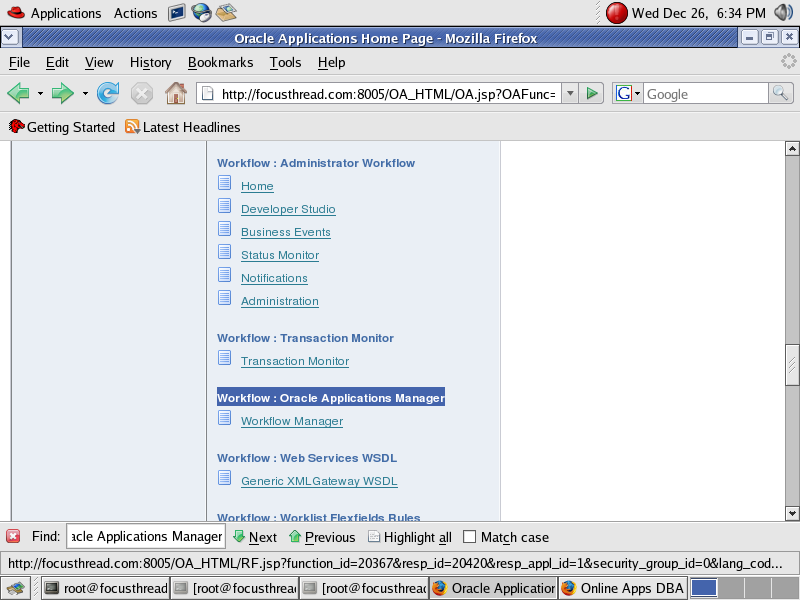
2. under Workflow : Oracle Applications Manager click on Workflow Manager
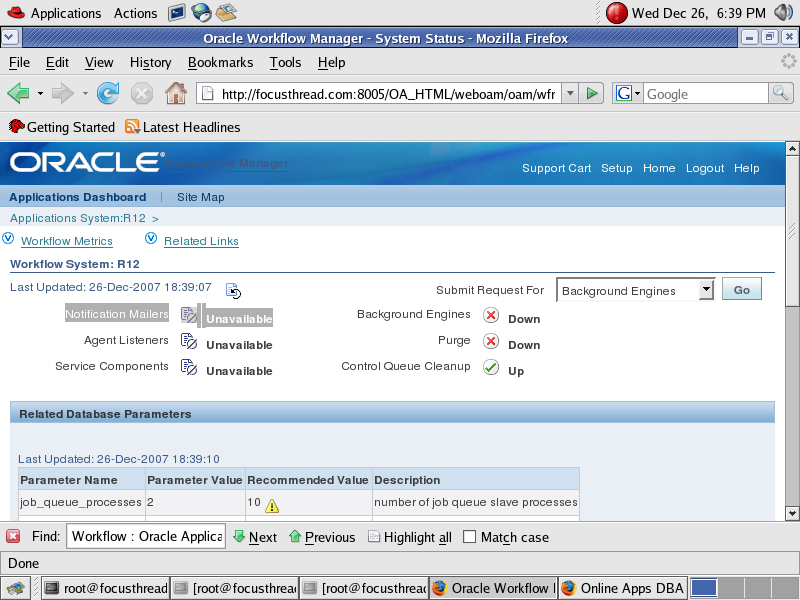
If this is first time you are configuring Workflow Notification Mailer in Oracle Apps R12/12i you will see Notification Mailers as unavailable as shown in screenshot
Click on Notification Mailers
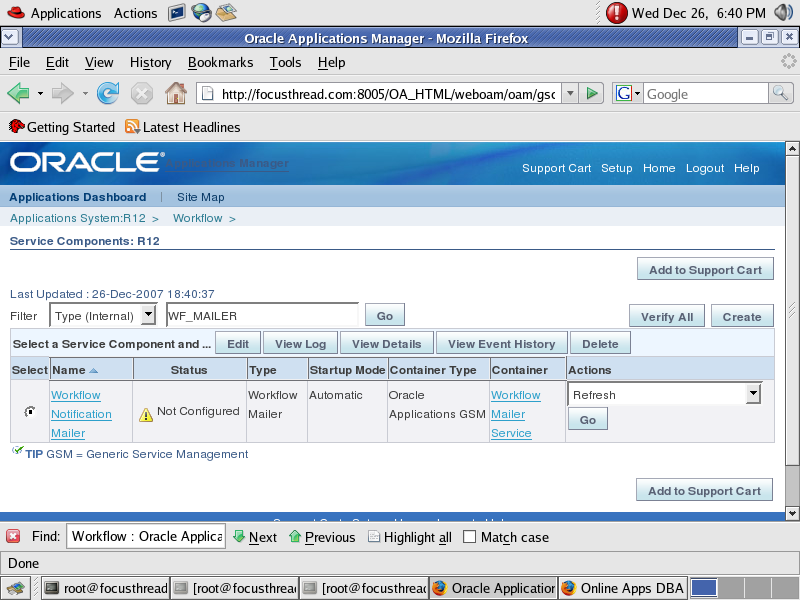
In next screen (as shown below, click on Edit Button)
Here you have option to select Inbound notification setup or Just outgoing Notification Setup.
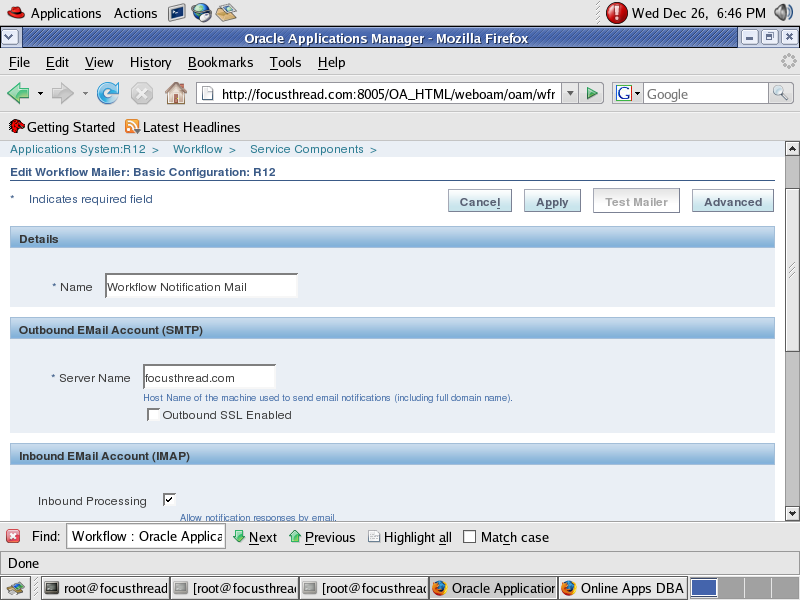
Provide SMTP Server Name (ensure that CM node should be able to connect to SMTP Server or SMTP Relay)
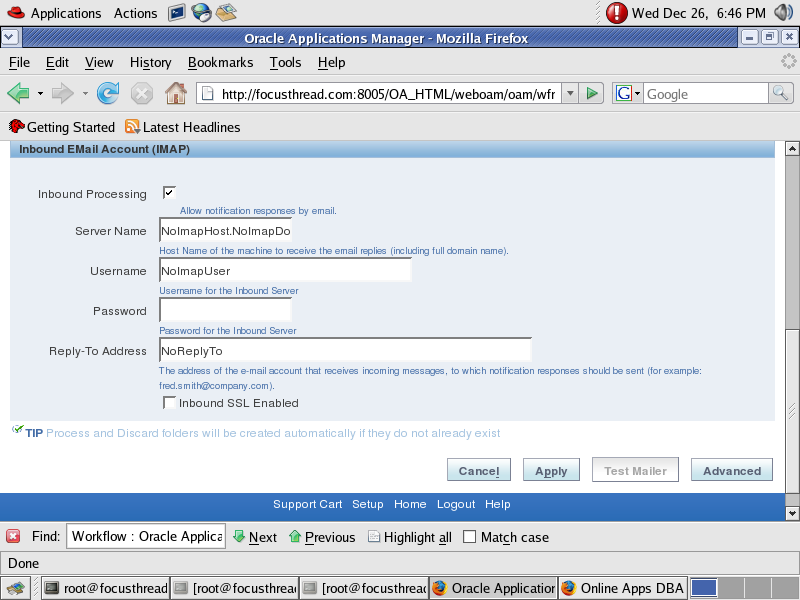
Uncheck Inbound Processing (from above screen), if you don’t wish to configure Inbound Notification Mailer.
If you wish to configure Inbound Notification as well then ensure IMAP Server should be configured with a valid user (create Inbox, Processed & Discard folder for this User)
Click on Apply button to finish configuration, at this stage Notification Mailer will test SMTP Server & IMAP Server connectivity.


2 comments:
Hello, i setup to step Override Address then :
An error has occurred!
FAILURE: com.sun.mail.smtp.SMTPSendFailedException: 530 , Authentication does not match this account Parameters {{OUTBOUND_USER=system-erp, FROM=HT ERP UAT, REPLYTO=tranthianhdao@gmail.com, OUTBOUND_SERVER=mail.abc.com.vn, OUTBOUND_PASSWORD=*****, COMPONENT_ID=10006}}
please help me fix error.
Have you got the solution for this issue?
Post a Comment